Unlock this Course for $37!

Master Portrait Retouching: The Definitive Guide to Flawless Skin Tones in Photoshop

Struggling with uneven skin tones, bluish under-eye circles, or color mismatches on hands and legs?

You’re not alone—and you don’t have to struggle anymore.

Just fill out your info to unlock instant access to this course!
Your Image

SCROLL TO CHECKOUT

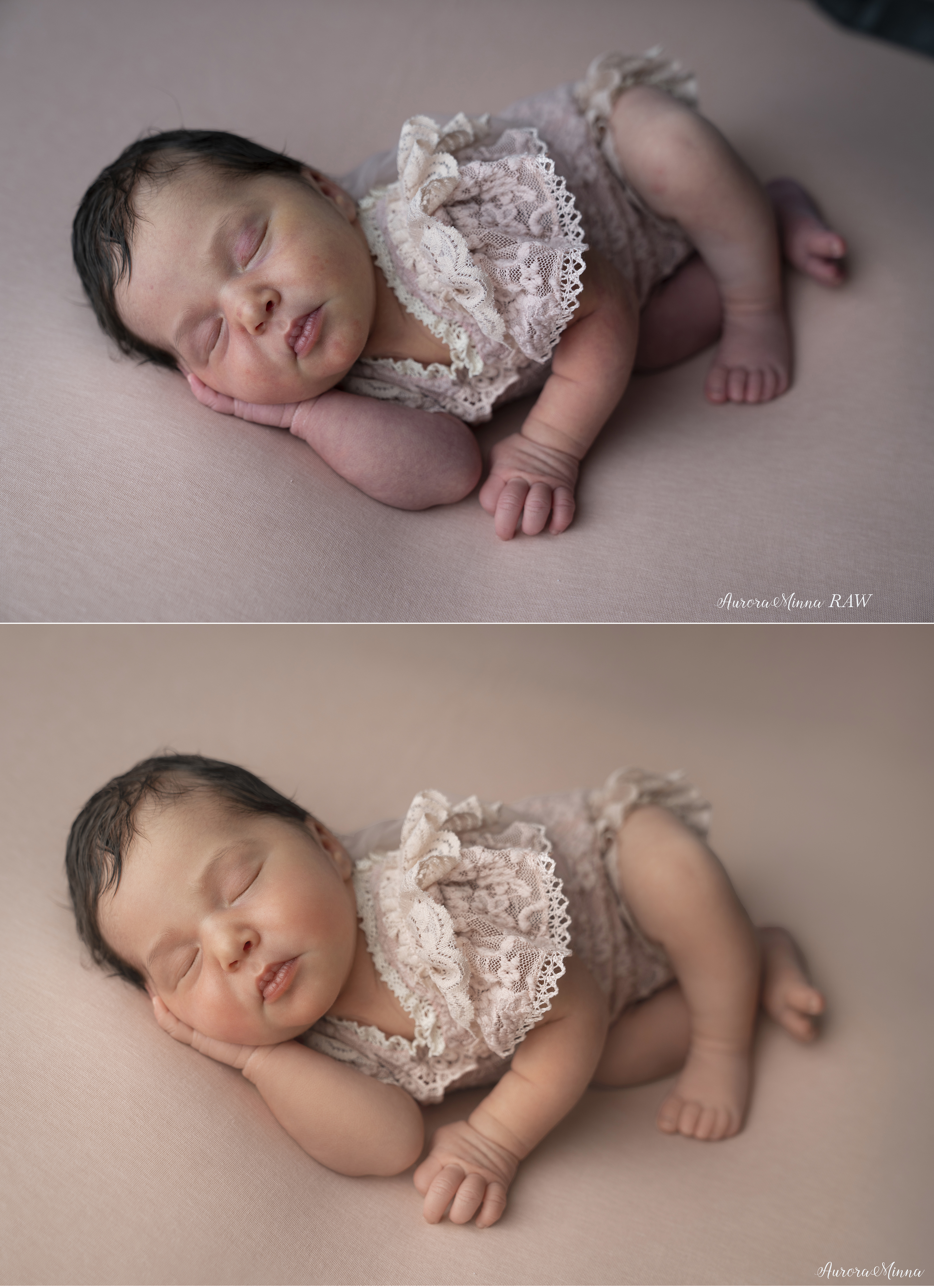
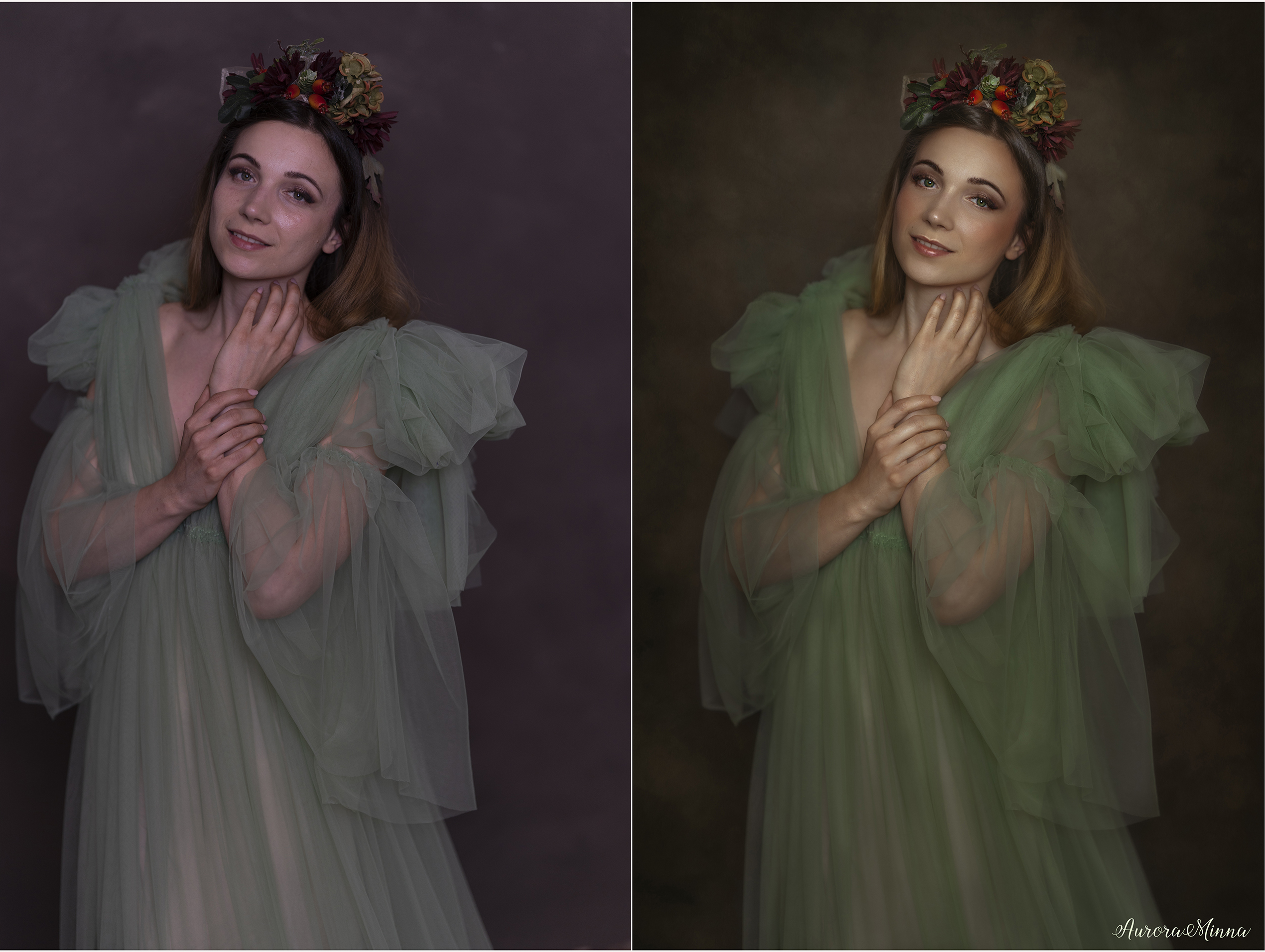
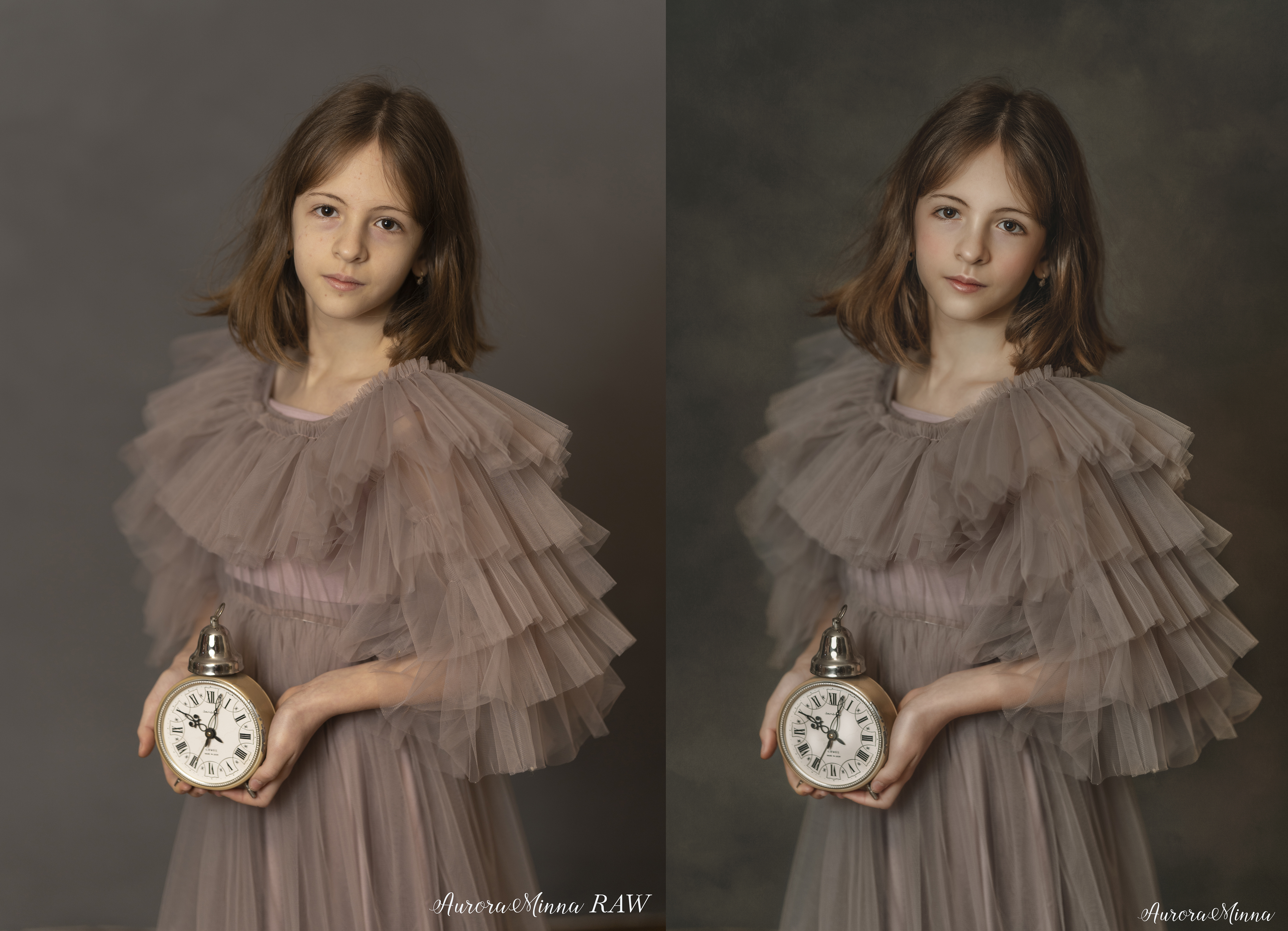
In this comprehensive course, I break down expert-level Photoshop techniques using 6 video walkthroughs featuring newborns, children, and women.

You’ll learn how to unify problematic, multi-colored skin areas to achieve a natural, perfect finish in every portrait.

What You’ll Learn:

Correcting bluish, purplish, red, green, blue, grey, magenta or any color hue discolorations.

Unifying skin tone across complex areas like hands, legs, and faces.

Advanced techniques specifically designed for diverse skin types and ages.

Note: This course is a specialized deep-dive into skin correction. It does not cover general image editing but focuses exclusively on solving every skin tone issue you’ll ever encounter.
Your Image

I’m Auróra Minna Kiss! I’m an Accredited Portrait Master and multi-award-winning photographer with a deep expertise in Photoshop. I love helping others elevate their skills through my online portrait photography and retouching courses, available in both English and Hungarian.

Your Image

Contact Information

Billing Information

Payment Methods

Apple Pay selected.

Another step will appear to securely submit your payment information.

Google Pay selected.

Another step will appear to securely submit your payment information.

Retouch Like a Pro: The Exact Photoshop Action Workflow I Use as an Accredited Portrait Master (Perfect for Newborns, Families & Women)

Retouch Like a Pro: The Exact Photoshop Actions Workflow I Use as an Accredited Portrait Master (Perfect for Newborns, Families & Women)

Retouch Like a Pro: The Exact Photoshop Actions Workflow I Use as an Accredited Portrait Master (Perfect for Newborns, Families & Women)

52 Actions including:

adjustment actions, skin even action, different types of skin softening actions, skin colors (skin tone palette, soft powdery, contrasty colors), teeth, eyes, cheeks - lips, blush, eyelashes, freckle enhancer, painterly hair, contour, contour 2027, highlights contour, contrast, sharpening, glow actions).

Easily Modified and Customized, Compatible With All Older and Current Versions of Photoshop.

[[3700 | currency]]
My Most Used Overlays and Textures

My Most Used Overlays and Textures

[[1900 | currency]]
Lara Christmas full tutorial from start to finish

Modern Portrait Retouching: Master the Lara Christmas Look Using the Latest Photoshop Techniques from Start to Finish

Step-by-step Christmas Portrait image editing tutorial in Photoshop.

If you feel it’s time to refresh your skills, learn new techniques, and create more beautiful photos for your clients this season, then this material is for you!

Downloadable content: the overlay used for the edit

Does not include: AuroraMinna Favorite Actions

[[4900 | currency]]
Oldie But Goodie Photoshop Portrait Editing Tutorials Bundle

Oldie But Goodie Photoshop Portrait Editing Tutorials Bundle

Oldie But Goodie Photoshop Portrait Editing Tutorials Bundle, including 3 Timeless Video Tutorials, from start to finish. This bundle includes my previous Photoshop actions, overlays, and brushes.

[[3700 | currency]]
[[invoiceItem.description]]
[[subscriptionsByProductId[invoiceItem.product_id].plan_description]]
REMOVE
[[invoiceItem.quantity]] x [[invoiceItem.unit_price | currency]]
Subtotal:
[[checkoutContext.order.invoice.subtotal | currency]]
Tax:
[[checkoutContext.order.invoice.tax | currency]]
Shipping:
[[checkoutContext.order.invoice.shipping | currency]]
Discounts:
-[[checkoutContext.order.invoice.discount | currency]]
Total:
[[checkoutContext.order.invoice.total | currency]]